Insta360 X6 review: A 360 camera with a little something for everyone - Engadget
tags:The high-spec X6 balances ease-of-use with pro features like i-Log and 10-bit color.
James Trew for Engadget
RATING : 8.9 / 10
- Excellent image quality
- Dolby Vision and i-Log
- Onboard storage
- Easy editing
- Occasional stitch lines
- Limited onboard storage
- Premium price
With so many popular pocket cameras in its lineup, and despite being right there in the name, it's easy to forget that Insta360 started out making VR-friendly, spherical cameras. The dual-lensed devices are still at the company's core though, and Insta360 just unveiled its latest flagship: The X6 ($700). Thanks to competition from DJI and GoPro (among others) 360 cameras have moved out of the VR shadow and into the mainstream for creators.
That's no surprise when they offer gimbal-like stabilization in an action cam-like rugged package. The X6 pushes things even further into casual filmmaker territory with a larger sensor, Dolby Vision and a bunch of AI auto-editing tools that turn those 360 photos and videos into share-ready formats. That's the promise at least.
Design and features
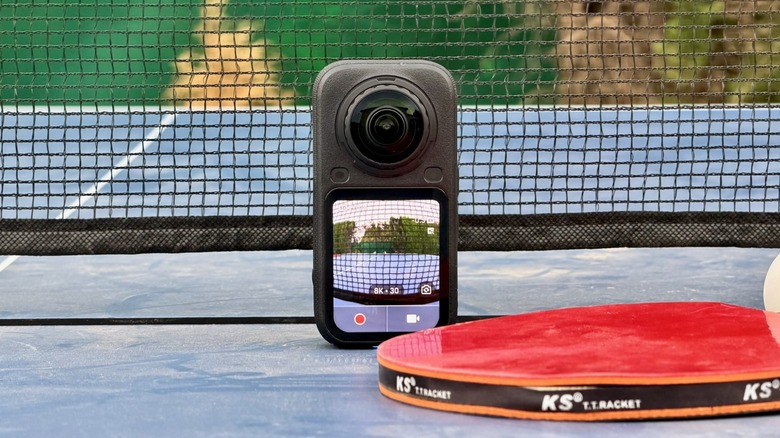
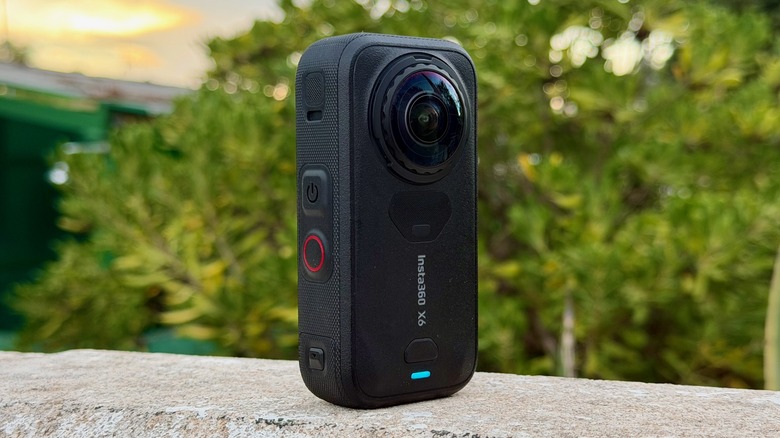
The X6 lets you know it's different from the X5 immediately thanks to its revised, compact design. Until now, the X-series had a tall, candybar aesthetic that screamed "360 camera." The latest model keeps the core design language, but is both shorter and a shade wider. Squint and it might just pass for a regular action camera from a distance. I personally prefer the new look, it makes throwing it in a carry pouch with other gear easier and it feels less conspicuous when recording in public.
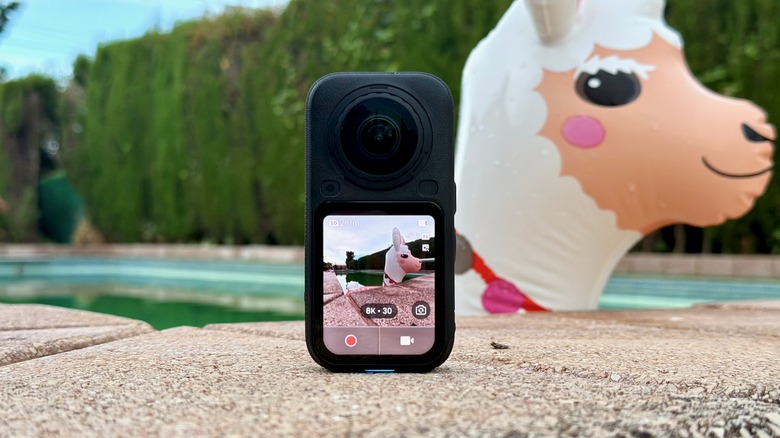
The wider body allows for a 2.32-inch display, and the small OLED panel looks fantastic. The screen on the X5 was already bright and clear, and I'd say it's even more so on the X6. Plus, the extra width really helps with setting up shots and navigating menus. Insta360 also used the extra real estate to add on-screen buttons for record and mode switching. There are still hardware record and power buttons on the side for gloved or wet fingers. There's even an extra button on the back to "quick switch" between the most popular modes (360 video, photo and single camera).
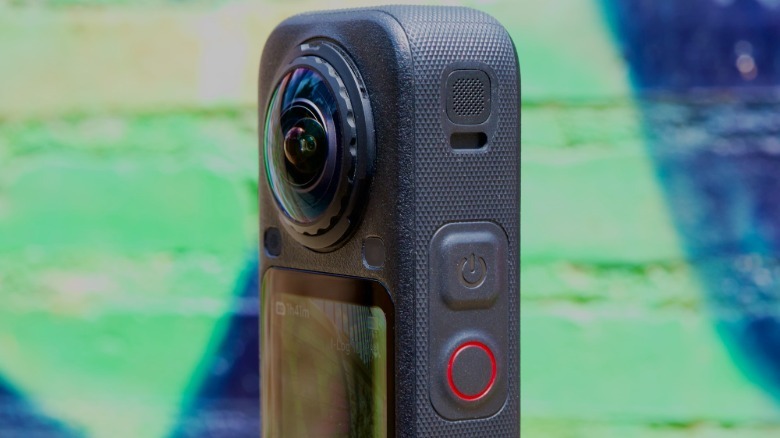
The most important upgrade is on the inside. The X6 has a 1/1.1-inch sensor, up from 1/1.28 with the X5. Insta360 claims this is 1-inch "equivalent" and it's technically the same size as DJI's current Osmo 360 — although with a custom configuration. The new sensor brings with it a max 8K/50 fps in 360 mode. There are also 120-megapixel spherical photos and flat/single lens video at up to 4K/120 fps. For more dedicated filmmakers, the X6 offers 10-bit color i-Log shooting mode, and there's support for Dolby Vision plus 47GB of onboard storage (expandable).
ots, then "Auto Edit 2.0" does a similar thing, but you tell the camera which clips you want included. Both work with varying success, which we'll get to later.
As with DJI, Insta360 is building an ecosystem of inter-compatible accessories, meaning the X6 works directly with the Mic Pro without a receiver and the quirky head-tracker at launch.
Video and audio
James Trew for Engadget
At their core, 360 cameras are fancy action cams. As such, the video quality you get from them is similar: bold colors, infinite focus and extra sharp. Fortunately, the current generation offers 8K, which means you can expect 4K when exporting flat video. The X6 offers a significant upgrade in image quality compared to the (also 8K) X5. It also convincingly bested the GoPro Max 2 in my testing. The X6 offers higher fidelity, less blurriness around the edges and more authentic color. The X6 definitely kills some of the traditional gripes that come with these cameras. Though maybe not all of them.
The spherical nature of the camera still gives videos a heavily warped perspective when in one of the wider FOV modes (Insta360 calls them Mega and Ultra). When I exported videos in Dewarp mode, it's still a fairly wide field of view and warping is minimal, but there's definitely still clues you're punching out from a global view. Linear mode does the best job at hiding this, and most of the time I found myself working with this setting. A perk of 360 cameras, of course, is that you can choose most of this after recording.
Out of curiosity, I also tested the X6 against the GoPro Mission 1 Pro and the DJI Osmo Pocket 4P. Despite the GoPro's action-cam heritage, the image quality is far richer and cinematic than the X6. The difference is even more prominent with the Pocket 4P. That's to be expected, as the Insta360 is in a totally different category. But if you were hoping the X6 would have action cam ruggedness and gimbal-like stabilization, that's mostly true, but with some sacrifices. It also brings action cam-level quality and some gimbal fragility — if you drop the X6, the chance of it landing on a lens is double.
The good news is that with Dolby Vision and 10-bit i-Log, you can squeeze out more image quality than what's offered in standard mode. I got much better results with a little bit of light color grading in software, and no doubt LUTs will be available soon if getting your hands dirty in Davinci Resolve or Premiere isn't part of your workflow.
Sadly, I still found stitch-lines to be a bit of a burden. The X6 does a good job hiding them for the most part, but they still rear their ugly head when you're forced to shoot with the subject right where the lenses overlap.
Audio on 360 cameras is a tough topic as often you're working with a very long selfie-stick. For what it's worth, the X6's internal microphones do a decent job of picking up ambient sound. For recording yourself talking to the camera, I'd strongly suggest getting a separate wireless microphone.
Editing, or not
James Trew for Engadget
I've never found auto-edits to be of much use. When I saw that the X6 had fancy new AI tools, I won't lie, I wasn't expecting to be surprised. The clips the camera serves up I would describe as "good starting points," but it never made me a clip I just wanted to directly share. Often it would pick interesting moments, but focus on me holding the pole and not the person doing a backflip into a pool just behind it. I took it out the night that Spain won the World Cup and it picked some good moments of the raucous festivities, combining those with a ballad and a few moments of clipped dialog. That said, with about two minutes of tinkering in Insta360's mobile app, it was fairly easy to whip things into something I did want to share, and might not have ever gotten to editing if the app didn't give me a head start.
Fortunately, Insta360's desktop "Studio" software makes finding and extracting clips pretty easy, so pulling things out from the camera and getting them into your favorite editor is simple. I made a few social media posts with this more manual workflow and didn't feel any notable friction compared to editing regular flat video.
It's apt to mention the X6's "InstaFrame 2.0" mode which is basically single lens mode but with subject tracking and the option to keep a backup of the 360 content. This was the mode I ended up using most of the time as it dramatically speeds up clip exporting — the framing is already done — but you can still forage around in the original spherical shot for B-roll and any accidental cool things you recorded.
Battery life and storage
The "Essentials" pack Insta360 sent for review includes two batteries and a portable charging case. In my testing I never found myself reaching for the second cell. The X6 battery is 2,600mAh and Insta360 claims that's good for about 140 minutes of 8K/30. I found myself jumping between 8K/30 and InstaFrame 2.0 for the most part and was getting close to that amount of recording time between charges. The camera also has fast charging, so if you have a power bank you can quickly recharge for another 45 minutes of recording time while you eat a sandwich.
I love that Insta360 followed DJI's lead by including onboard storage in its cameras. Sadly, there's about half as much (47GB) on the X6 as there is on the Osmo 360. It's certainly handy, and a welcome addition, but it's easy to fill that up over a few days. I prefer the flexibility of using an SD card as my main storage, but it's nice to have the onboard space for backup or days when you left your card in your laptop.
Wrap-up
James Trew for Engadget
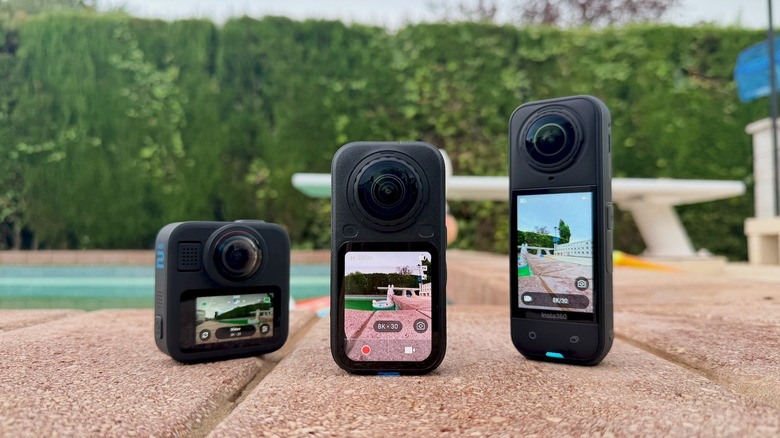
With the X6, Insta360 is on home turf. The latest flagship presents a significant visual upgrade from the popular X5. But it now has strong competition, notably the Osmo 360 and the Max 2. At launch, the X6 costs $700 while you can get DJI's rival for about $400. Though the Osmo 360 is soon to be supplanted by its successor, the new model won't officially be available in the US. At around $300, GoPro's Max 2 is the cheapest of the bunch, but it's also the oldest.
For fans of the Insta360 brand, the X6 is a solid update, especially if you're coming from an X4 or older. If you're considering DJI's alternative, the lower price point is certainly tempting if you don't need things like Dolby Vision and aren't swayed by the better editing options Insta360 provides.