How to use a ChatGPT Dot when it rolls out to you - Engadget
tags:You'll likely need a Pro subscription.

OpenAI
At its recent developer conference, OpenAI announced Dots. They are new always-on AI agents that can complete tasks for you even when you're away from the computer. Each Dot runs on its own cloud instance, and can surf the web through a dedicated browser, though you can also grant them access to your own computer and apps.
Like Meta with its Muse agent, OpenAI is pitching Dots as a productivity tool that can help you automate routine tasks and assist with longer, more difficult projects that require weeks and sometimes months of dedicated work. If you're curious about how to set up your own Dot and how much they cost to run, here's what you should know.
What ChatGPT plans include a Dot?
OpenAI
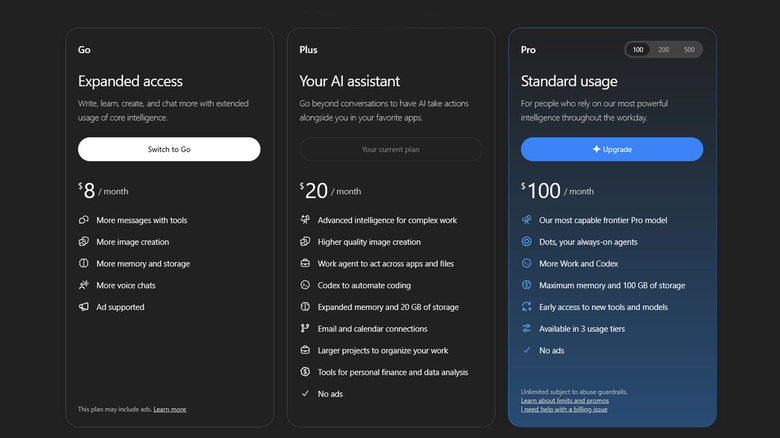
Dots are a paid feature that is only available to select subscribers in some countries. As a consumer, you'll need a Pro plan to begin using your first Dot. Those start at $100 per month, with $200 and $500 tiers available as well. At launch, Dots aren't available to Pro subscribers in the European Union, Norway, Iceland, Liechtenstein, Switzerland and the UK. If you're a paid Pro account holder and don't see the option to create a Dot, you may need to wait a little while longer. "Dots are rolling out gradually. Access may take several days to reach your account," says OpenAI on its support page for Dots.
Dots are also available to Business Premium customers in every region where OpenAI offers ChatGPT. Enterprise users, including those with Healthcare and Education accounts, can also start tinkering with Dots, provided their workspace admin has approved their use.
You'll notice missing from that list are ChatGPT free, Go and Plus accounts. OpenAI hasn't said when and if it plans to bring Dots to users of its more affordable paid tiers.
How to start using your first Dot
OpenAI
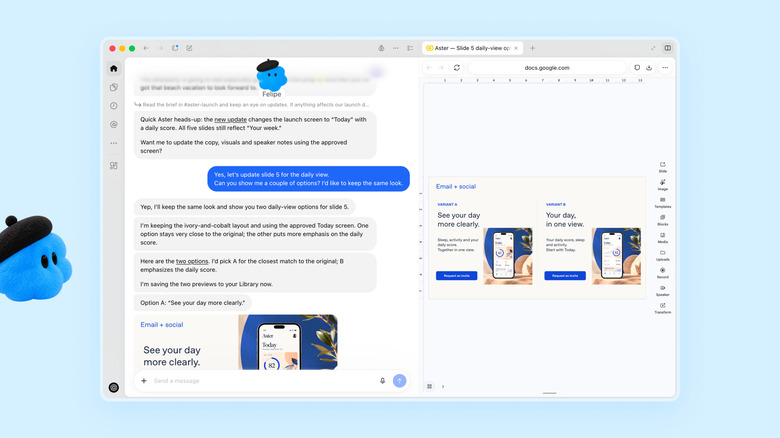
To create your first Dot, open the ChatGPT desktop app or visit the ChatGPT website through your PC browser, and then follow the onboarding instructions. For the time being, you can't use the ChatGPT mobile app or your phone's web browser to create a Dot. As part of the setup process, you can name your Dot and give it a cutesy appearance. If you do give your Dot a name, you can invoke it by typing @yourname-agentname, replacing agentname with its unique identifier. Otherwise, it will go by @yourname-dot.
Once you've created your Dot, you can converse with it through the ChatGPT mobile app. For now, ChatGPT's mobile web client doesn't support the agents. Dots can use more than 4,000 apps and counting, thanks to plugins that are already supported by ChatGPT. If you want to connect your Dot to an app, you can do so from its profile menu. Click or tap Customize, followed by Plugins and then select a supported app and review its permissions. You can disconnect an app from this same menu.
How does Dot pricing work?
OpenAI
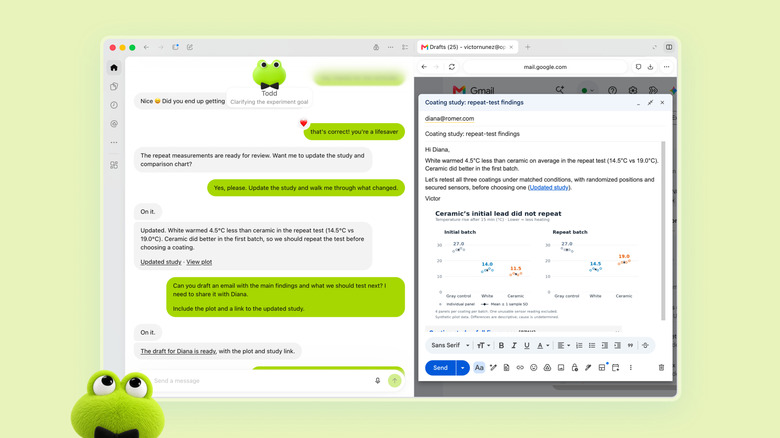
Provided you're a Pro or Business Premium subscriber, your first Dot is included with your plan. In the future, OpenAI says it will allow people to pay for additional Dots, and to scale the output of each one by "either increasing its speed or the total amount of work it can take on per month." OpenAI hasn't stated how pricing will work once those options become available.
Additionally, the company is offering "extended limits" for Dot usage for the first month of their availability. After that, your Dots usage will count against your plan allowance. Again, OpenAI hasn't shared exact usage terms, but it has said that talking to your Dot through ChatGPT will be free. The company also plans to let users text their Dots. Once that becomes available, it won't count against your usage limits either.
The fact OpenAI launched a new $500 monthly Pro plan on the same day it announced Dots suggests the company expects Dots will burn through tokens. For that reason, if you're planning to make them part of your workflow, be sure to keep tabs on their usage during their first month of availability so you're not surprised when OpenAI starts metering your usage.